 FloServer
Updates
FloServer checks for a new version once a day and asks before installing it.
When an update is ready
It’s downloaded and checked against the signed list first. Then a bar appears in the projects window. Click Update now, or Later; What’s new shows the changes.

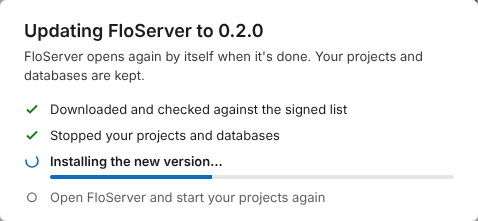
While it updates
Your projects stop for a moment. FloServer installs the new version, opens again by itself and starts your projects again. Your projects and databases are kept.
Check now
To check at once: Settings → General → Check now.
Docs for FloServer 0.1.0Something wrong on this page? Email us