 FloServer
Shared sites (www)
Like XAMPP's htdocs or Laragon's www: every PHP or HTML folder in the www folder opens at localhost/<folder>/.
In the projects window
Shared sites have their own row at the bottom of the project list, with a switch, a localhost link, Open folder and a settings button.
Settings
In Settings → Shared sites, choose the www folder and the PHP version, database and web server every shared site uses: Apache (so .htaccess works) or nginx.
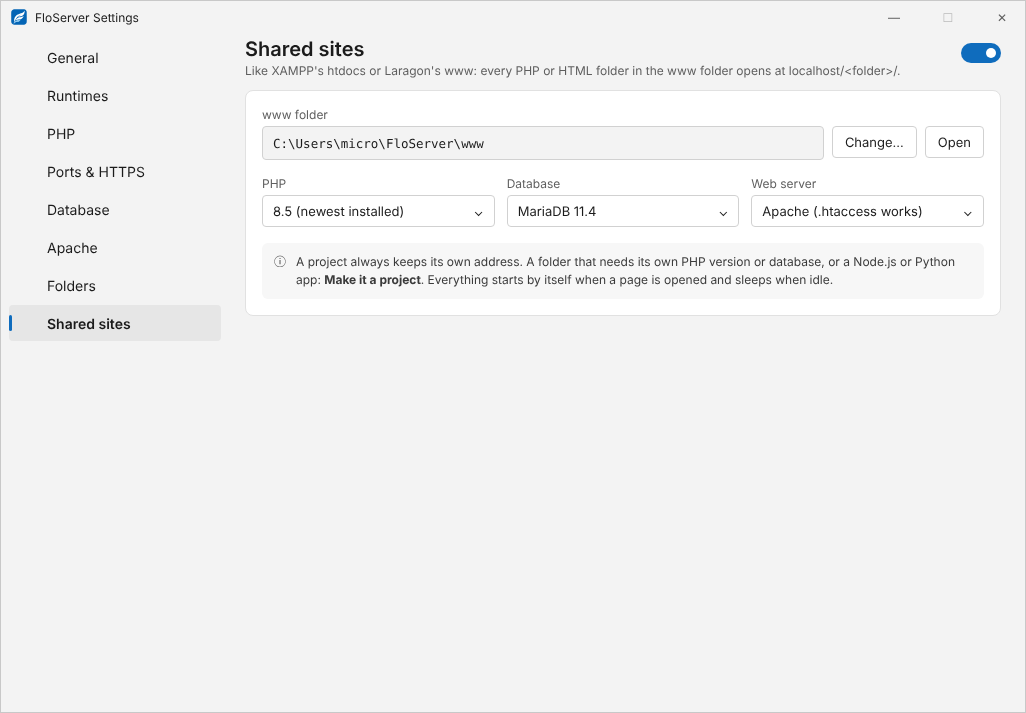
Everything starts by itself when a page is opened, and sleeps when idle.
When to make it a project
A folder that needs its own PHP version or database, or a Node.js or Python app, works better as a project. A project always keeps its own address.
From the terminal
flo shared onorflo shared offflo shared php <version|newest>,flo shared web <apache|nginx>,flo shared dir <folder|default>flo shared db <11.4|none>;flo shared loginshows its database user (--showfor the password)
Docs for FloServer 0.1.0Something wrong on this page? Email us