 FloServer
Create a project
Click + New project at the top of the projects window. It takes three steps: Template, Name and folder, Versions.
Pick a template
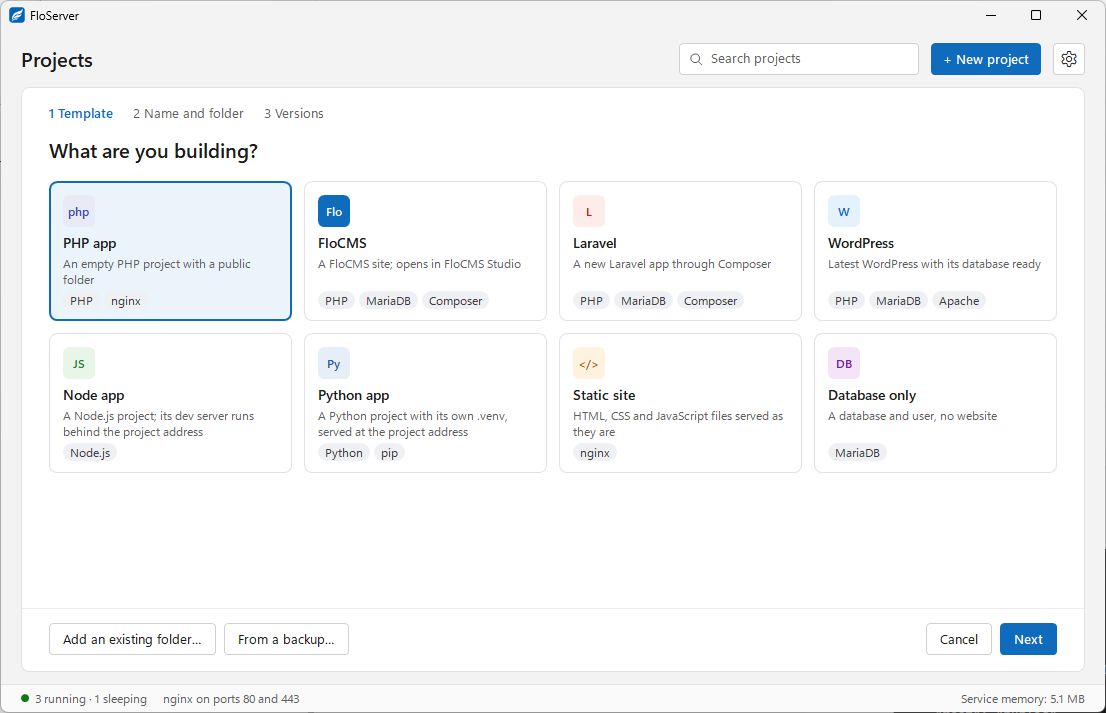
| Template | What you get |
|---|---|
| PHP app | An empty PHP project with a public folder |
| FloCMS | A FloCMS site; opens in FloCMS Studio |
| Laravel | A new Laravel app through Composer |
| WordPress | Latest WordPress with its database ready |
| Node app | A Node.js project; its dev server runs behind the project address |
| Python app | A Python project with its own .venv, served at the project address |
| Static site | HTML, CSS and JavaScript files served as they are |
| Database only | A database and user, no website |
Name, folder and versions
Give the project a name: it becomes its address, https://<name>.localhost. New projects go in the projects folder, which you can change in Settings → Folders. Then check the versions it will use.
A project you already have
- Add an existing folder… turns a folder into a project. FloServer reads its floserver.json if it has one, or picks versions for it. From a terminal:
flo addin that folder. - From a backup… makes a new project from a FloServer backup zip. See Backup and restore.
Docs for FloServer 0.1.0Something wrong on this page? Email us