 FloServer
Databases and phpMyAdmin
Every project that uses a database gets its own MariaDB database and user.
The Database tab
Open a project’s panel and choose Database. It shows the database’s name, the address (127.0.0.1:3306) and the user.
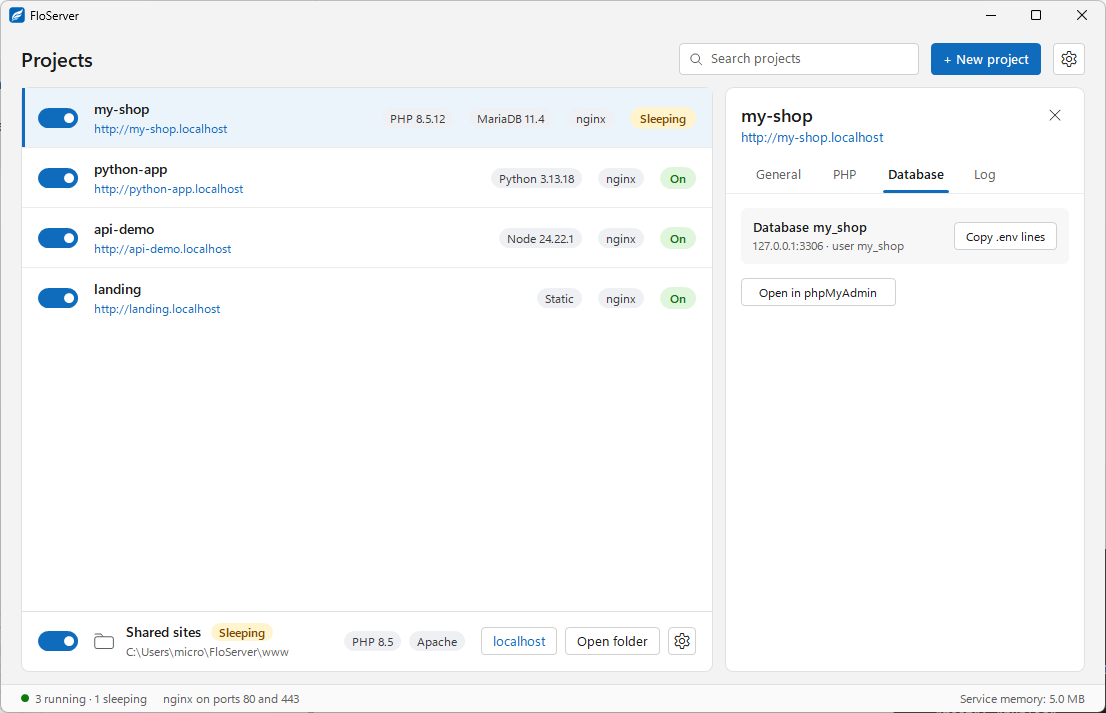
- Copy .env lines puts the connection settings on your clipboard, ready to paste into your project’s
.env. - Open in phpMyAdmin opens the database in your browser.
From the terminal
flo dbshows the databases and the projects using them.flo envprints a project’s database settings as .env lines;flo env --writewrites them. Add--showto include the password.
Versions
Choose MariaDB’s version for a project in its panel, or in its floserver.json as "database": "mariadb-11.4". Download and remove versions in Settings → Runtimes.
Docs for FloServer 0.1.0Something wrong on this page? Email us