 FloServer
Ports & HTTPS
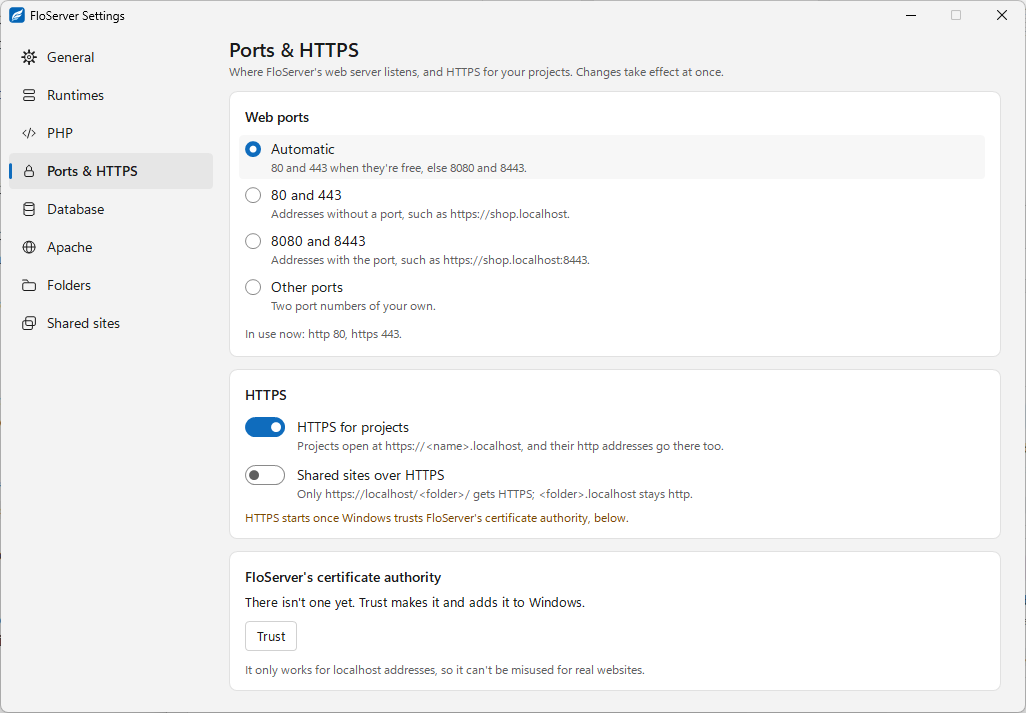
Settings → Ports & HTTPS: where FloServer's web server listens, and HTTPS for your projects. Changes take effect at once.
Web ports
- Automatic (the default): 80 and 443 when they’re free, else 8080 and 8443.
- 80 and 443: addresses without a port, such as
https://shop.localhost. - 8080 and 8443: addresses with the port, such as
https://shop.localhost:8443. - Other ports: two port numbers of your own.
The page shows which ports are in use now.
HTTPS
- HTTPS for projects: projects open at
https://<name>.localhost, and their http addresses go there too. - Shared sites over HTTPS: only
https://localhost/<folder>/gets HTTPS;<folder>.localhoststays http.
HTTPS starts once Windows trusts FloServer’s certificate authority.
The certificate authority
If there isn’t one yet, Trust makes it and adds it to Windows. It’s the same as flo trust; flo untrust removes it. It only works for localhost addresses, so it can’t be misused for real websites, and its private key never leaves your computer.
Docs for FloServer 0.1.0Something wrong on this page? Email us