Set up your first project.
Windows 10 or 11, 64-bit. macOS and Linux are planned.
Version 0.1.0 beta · Windows 10 and 11
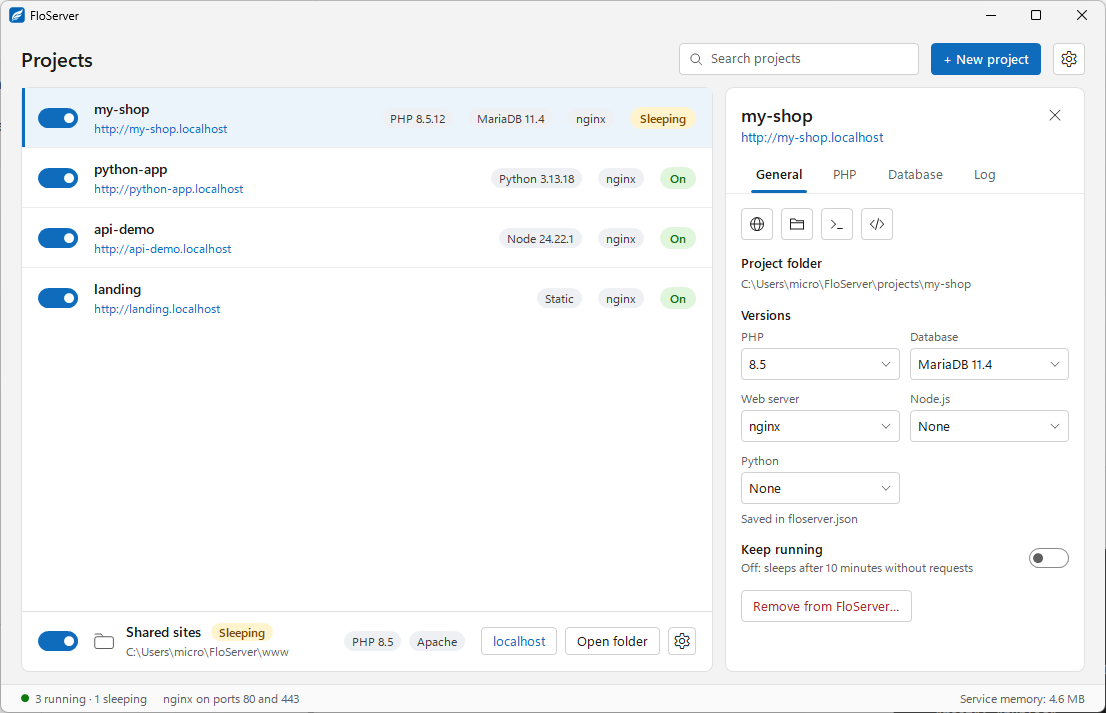
One native app runs PHP, MariaDB, Node.js, Python, nginx or Apache and Composer for each project, with its own versions, at its own https://name.localhost with trusted HTTPS.
3.9 MB · Windows 10 or 11, 64-bit · Installs without admin rights
What you get
Supported environments
Download only what you need. Each project picks its own versions, and several versions can be installed side by side.
PHP 8.2 to 8.5, MariaDB, Node.js and Python, chosen per project and saved in floserver.json next to your code.
Every project gets https://name.localhost. FloServer's own certificate authority only signs localhost names, trusted after one Windows prompt.
Its own MariaDB database and user. "Copy .env lines" puts the connection settings on your clipboard. phpMyAdmin included.
PHP pools stop after a quiet spell and wake on the next request, so projects you aren't using cost almost nothing.
PHP app, FloCMS, WordPress, Laravel, Node app, Python app, static site or database only. Or keep a shared www folder like htdocs.
php, composer, node, npm, python and pip use the versions of the project you're in. Plus the flo command line.
Save a project as a zip with its database, restore it, or start a new project from a backup. Rename a project in one step.
The runtime list is signed (Ed25519) and every download is checked with SHA-256. App updates come through the same signed list.
The app speaks English, Arabic and Kurdish (Sorani), right to left where it should. Works with screen readers.
Each project keeps its versions in a small floserver.json. Commit it, and the next person who opens the folder in FloServer gets the same PHP, database and web server. Every key it can hold.
// floserver.json
{
  "php": "8.2",
  "node": "22",
  "database": "mariadb-11.4",
  "web": "nginx",
  "root": "public",
  "extensions": ["intl", "gd"]
}
Windows 10 or 11, 64-bit. macOS and Linux are planned.